
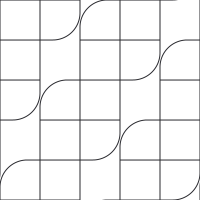
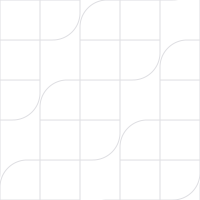
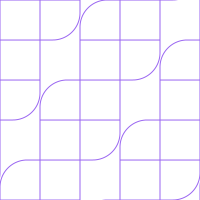
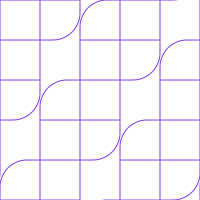
traq Patterns.
Status: working basis. The basics below apply to every format. Details per format can follow.
Base pattern
The base pattern is the traq symbol repeated as an interlocked lattice. The four modules of the symbol (top, left, right, bottom) fit into each other without gaps, and each symbol keeps its empty centre, so the mark stays readable in the pattern.
It is a background, not a logo. It never replaces the logo or the symbol, and it never carries meaning or status.
Geometry
- One module is a square. The symbol sits on a 3 × 3 module grid: the top module at column 2, row 1 (rounded bottom-right corner), square modules at columns 1 and 3, row 2, the bottom module at column 2, row 3 (rounded top-left corner). The rounded corners have a radius of 0.68 module, as in the supplied symbol.
- Symbol
i, jof the lattice has its top-left corner at((2i − j) · m, (i + 2j) · m)for module sizem. - The pattern repeats every 5 modules horizontally and vertically, so it tiles as a square.
Files
| File | Lines | Use on |
|---|---|---|
| traq_pattern_lattice_dark.svg | rule-dark #29292E | black, surface |
| traq_pattern_lattice_light.svg | rule-light #DEDEE2 | paper, white |
| traq_pattern_lattice_on_purple.svg | purple-soft #9A66F1 | purple |
| traq_pattern_lattice_purple.svg | purple #7C3AED | paper; variation, see below |
Each file is one seamless tile: 5 × 5 modules of 40 px (200 × 200 px), 1 px lines, transparent background. The background colour comes from the surface.
traq_pattern_interactive.js is the reference code for the interactive web version.
Rules for all formats
- The pattern supports, it never leads. Text and the leading element sit on a calm area. Let the pattern fade out towards the content: from one side, from the bottom, or around the edges. Never put it at full strength behind running text.
- Lines only, in the rule colour of the surface (table above). Do not fill modules, mix line colours or use other colours.
- Keep the geometry. No gaps, missing modules, other radii, rotation, skewing or perspective. Scale the tile evenly. On the web, one module is 40 px. Lines stay thin: 1 px on screen, a hairline in print.
- The lattice starts at the top-left corner of the area, as the tile does, so overlays line up with it.
- Plain by default. Most uses show the pattern without any highlighted symbol.
- At most one filled symbol per composition, and only where traq is already named. Fill exactly one symbol of the lattice in purple
#7C3AED, sized to exactly three modules and placed on a lattice position, so it locks into the pattern. Place it in a corner (top right or bottom right), fully inside the format with at least one module of space to the edge. It is for fixed formats: flyers, posters, covers, social images, LinkedIn headers. Do not repeat it section after section on a page. - Purple lines (
traq_pattern_lattice_purple.svg) are a stronger variation for paper, for a single accent area. Not the default, and never together with a filled symbol.
Fades
Fade the pattern with a mask on its own layer, so the surface colour stays exact.
.pattern { position: absolute; inset: 0; background-image: url(traq_pattern_lattice_dark.svg); }
.fade-right  { mask-image: linear-gradient(90deg, transparent 30%, white 80%); }
.fade-bottom { mask-image: linear-gradient(180deg, transparent 20%, white 100%); }
.fade-edges  { mask-image: radial-gradient(ellipse 55% 60% at 50% 45%, transparent 30%, white 100%); }
At 760 px and below, a side fade turns into a bottom fade, so the pattern does not run behind the text.
Website
The website uses the pattern without a filled symbol.
| Use | Treatment |
|---|---|
| Content sections | Dark tile on black, fading in from the right (fade-right). The default. |
| Quiet sections | Dark tile on surface, fading in from the bottom (fade-bottom). |
| Call to action | On-purple tile on purple, at the edges only (fade-edges). |
| Hero | Interactive: the lattice in rule-dark lines, around the edges. The symbol nearest the pointer gets purple 1.5 px lines; when the pointer moves on, it fades back over 1.8 s. No fill, nothing moves without the pointer, no effect with prefers-reduced-motion. Use traq_pattern_interactive.js. |
Do not put the pattern in every section. Alternate with plain sections.
The hero interaction is the only defined motion and the only hover state in the system. Motion in general stays unspecified.
Related treatments
- Grid with outline symbol: a square grid in rule-dark lines with one module of 60 px (the artwork module), and one symbol drawn as purple outline over 3 × 3 grid cells, fading out at the bottom. Same rule as the filled symbol: one per composition.
- Not adopted: random or rotated module scatterings, patterns with gaps between symbols, rows of single logos, and the purple-to-emerald gradient as a background.